Proof of Work
Machines already running
Talk is cheap and demos are easy. These are real machines built for real businesses. They run every day, watch over dozens of systems, and in one case go back to the early days of online shopping.
LineView IM
The whole office, live on your desktop.
Businesses on a hosted phone system kept running into the same small problem: you can't see who's on the phone. Someone walks a message across the office, or puts a caller on hold to go find a coworker who turns out to be on another call.
LineView is a small Windows app that fixes that. Every extension in the office shows as a live status light: available, on a call, ringing or offline. There's private office chat and team groups built in, and calls can be parked or transferred with a click. One install covers every office on the platform, and each office stays its own private island.
What it anticipates
- Messages wait for people who haven't signed in yet, so nothing gets lost.
- It updates itself and stays signed in, so nobody has to babysit it.
- PCs without a phone get a setup code, so the front desk laptop can join the chat too.
- Each office's own branding and messages show up automatically.
Live, animated recreation of the real app, running right on this page. Sample office, fictional names.
Guaranteed Contacts
Never show up as "Scam Likely" again.
Call a customer from your cell phone and they see a number they don't recognize, or worse, "Scam Likely." So they don't pick up.
Guaranteed Contacts routes the call through your office phone system, so the person you're calling sees your business name and number. The call itself rides your phone's regular cellular connection, not a spotty internet app, so it sounds like any other call and works anywhere you have a signal.
Years ago, when I first started thinking about Guaranteed Contacts, I called a software company right here in Oklahoma City. They wanted $25,000 just to sit down and talk about my app. That wasn't to write any code. It was just to find out what I wanted the app to do. After that, they'd give me a quote to actually build it.
Utterly shocked, I hired a small team in India instead and paid them $3,000 to write version one for both Android and iPhone. It shipped, and it's still in the App Store today.
That conversation is a big reason KindaSoft exists. Telling someone about your idea should never cost more than building it.
Version two is a ground-up rebuild. I designed every one of its screens myself, more than 58 of them, and on Android it now works as a complete phone app, right down to answering incoming calls.
What it anticipates
- Scan one QR code from your phone provider and every line, extension and setting is configured for you.
- Up to four lines, so two offices each get their own caller ID, with live status lights.
- Office extensions, parking spots and call-flow switches like "Inclement Weather" are one tap away.
- If a call fails, it can record what happened and send a support ticket, so nobody has to explain it from memory.
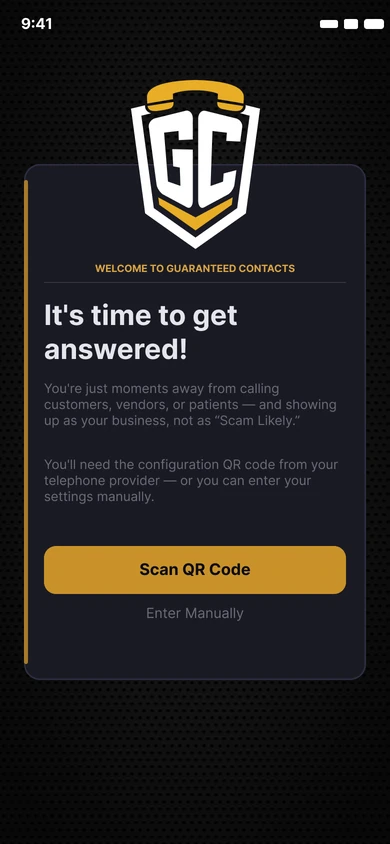
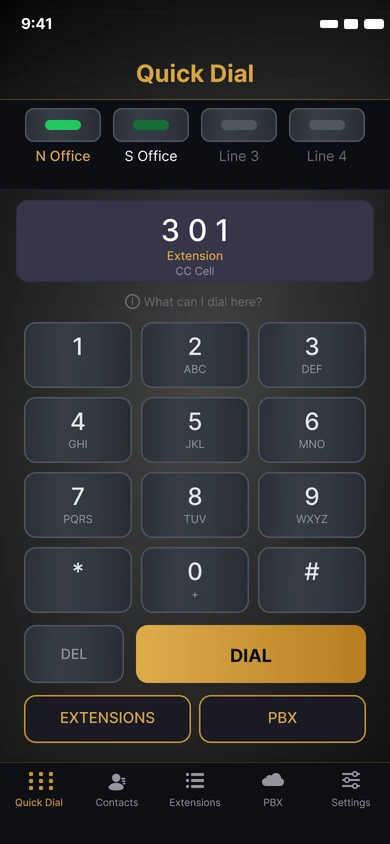
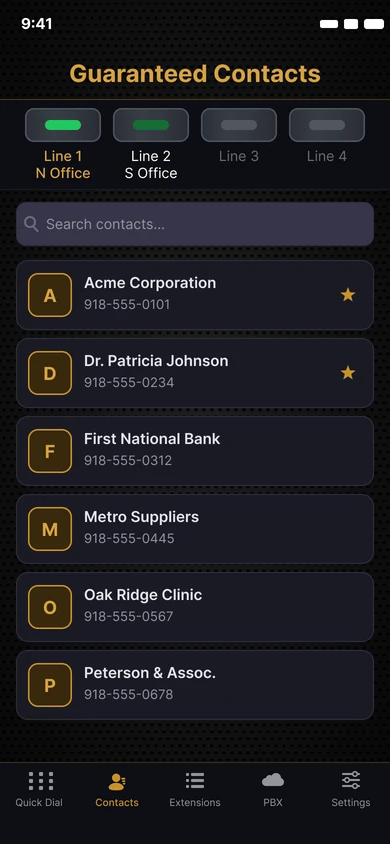
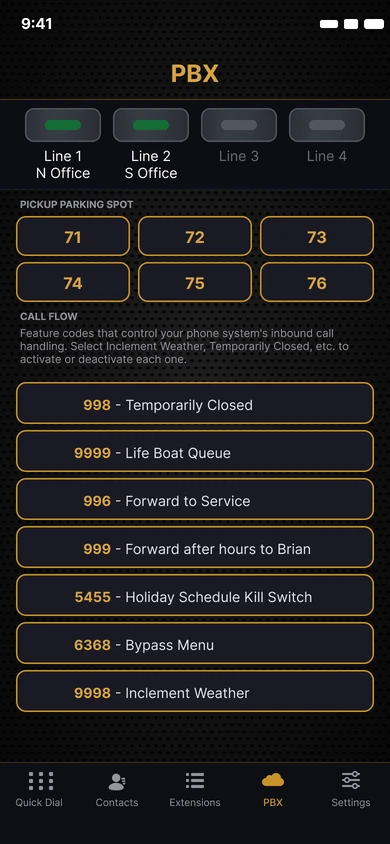
Real app screens from version 2. Sample contacts.
The Network Consoles
A night watchman that never blinks.
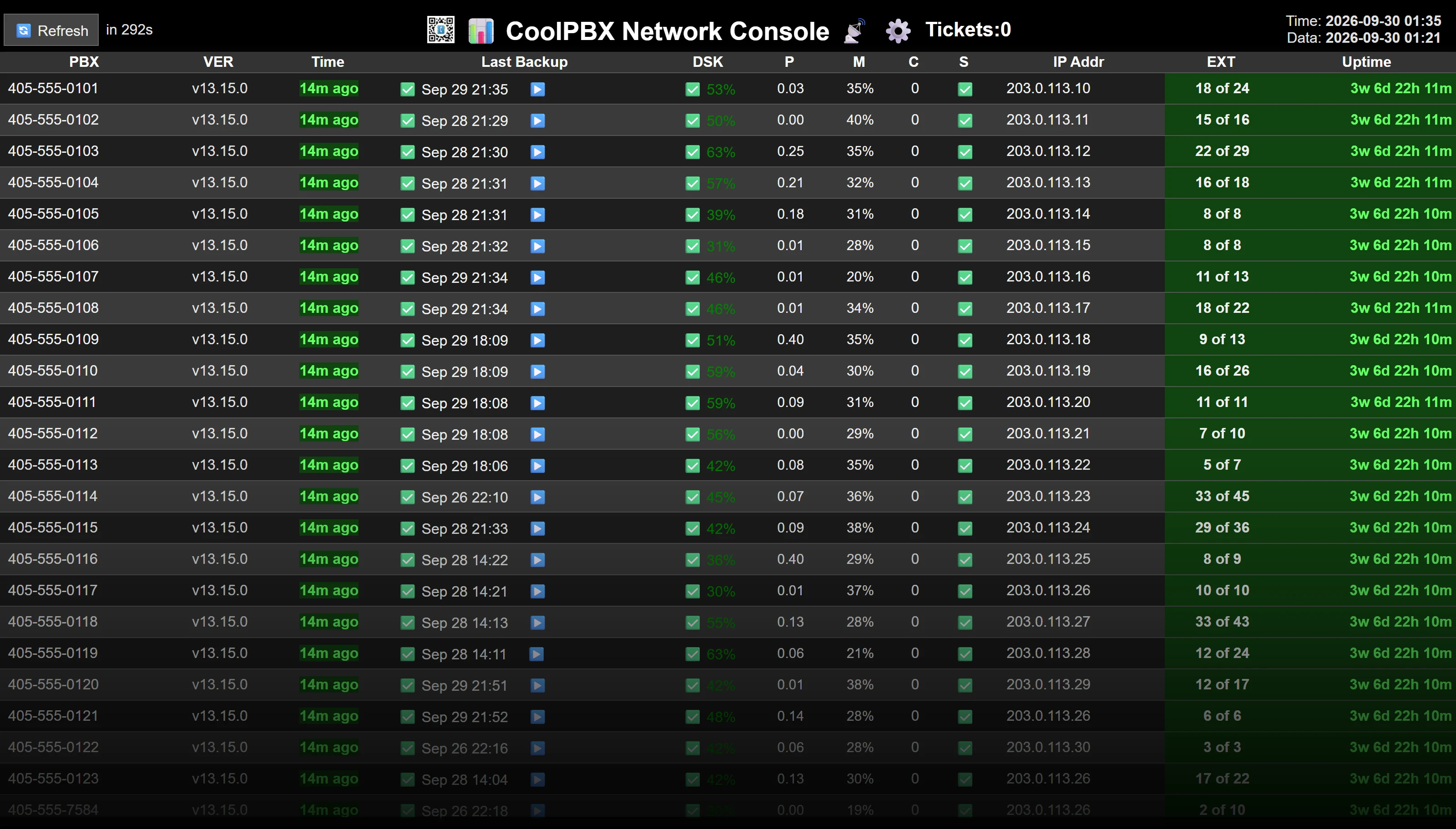
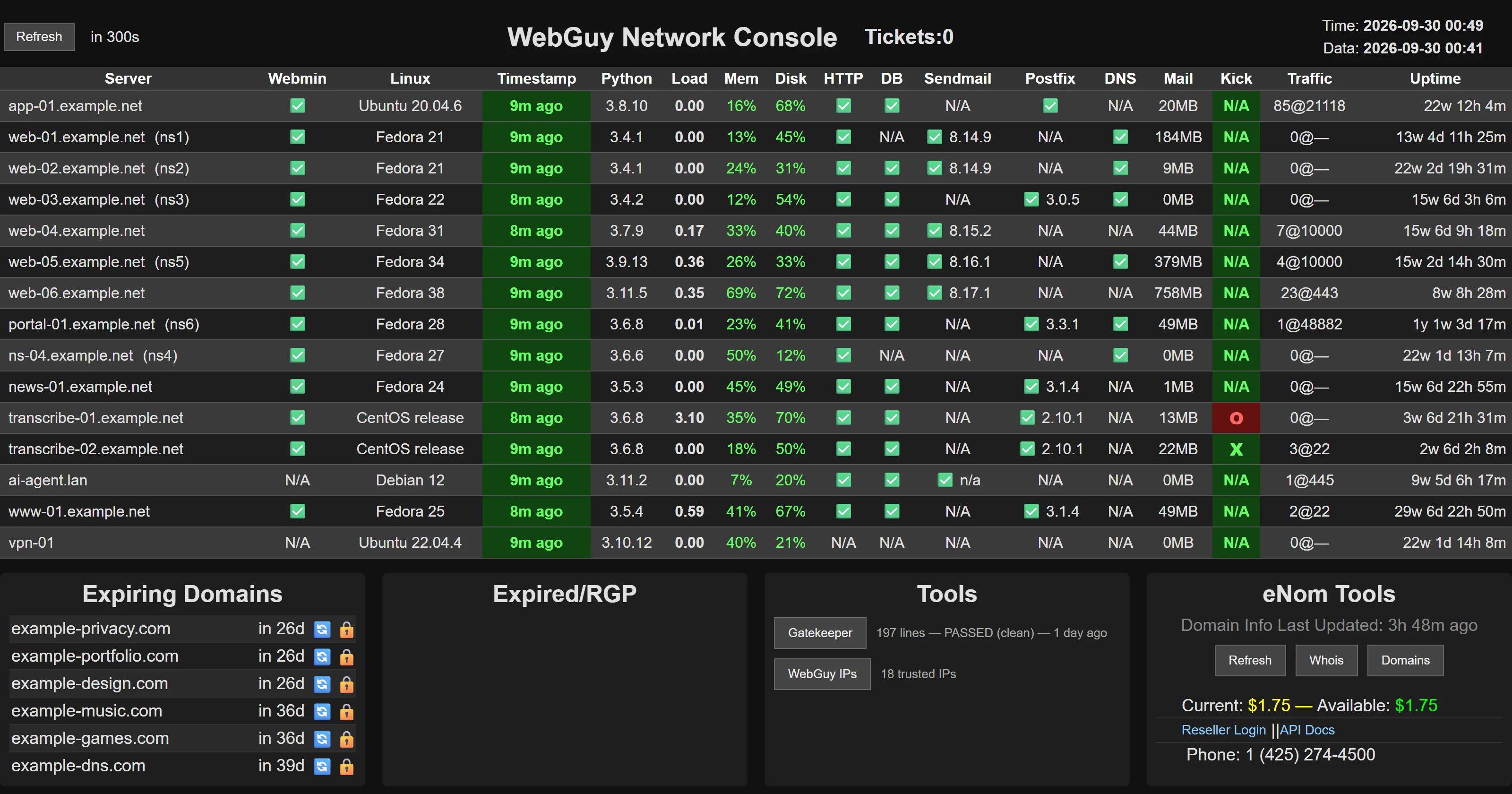
When you're responsible for dozens of business phone systems and a fleet of web servers, finding out about a problem from an angry customer is the worst way to find out.
So I built a pair of consoles that watch everything, all the time. The Network Ops Console keeps an eye on every customer phone system: whether the phones are connected, whether the firewall is healthy, and whether call volume looks normal. The Fleet Console watches the servers: processor load, memory, disk space, web, database and mail, and any support tickets waiting. When something breaks, you get a red banner and an alarm you can hear across the room.
What it anticipates
- A phone system that stays down opens its own support ticket, and closes it again when it recovers.
- It waits for a second bad reading before raising the alarm, so a two-second internet blip doesn't wake anyone up.
- It knows the difference between an outage and an office that turns its phones off every night.
- It keeps watching in a background browser tab, where ordinary web pages quietly go to sleep.
RealCart
Back when "online shopping" still needed explaining.
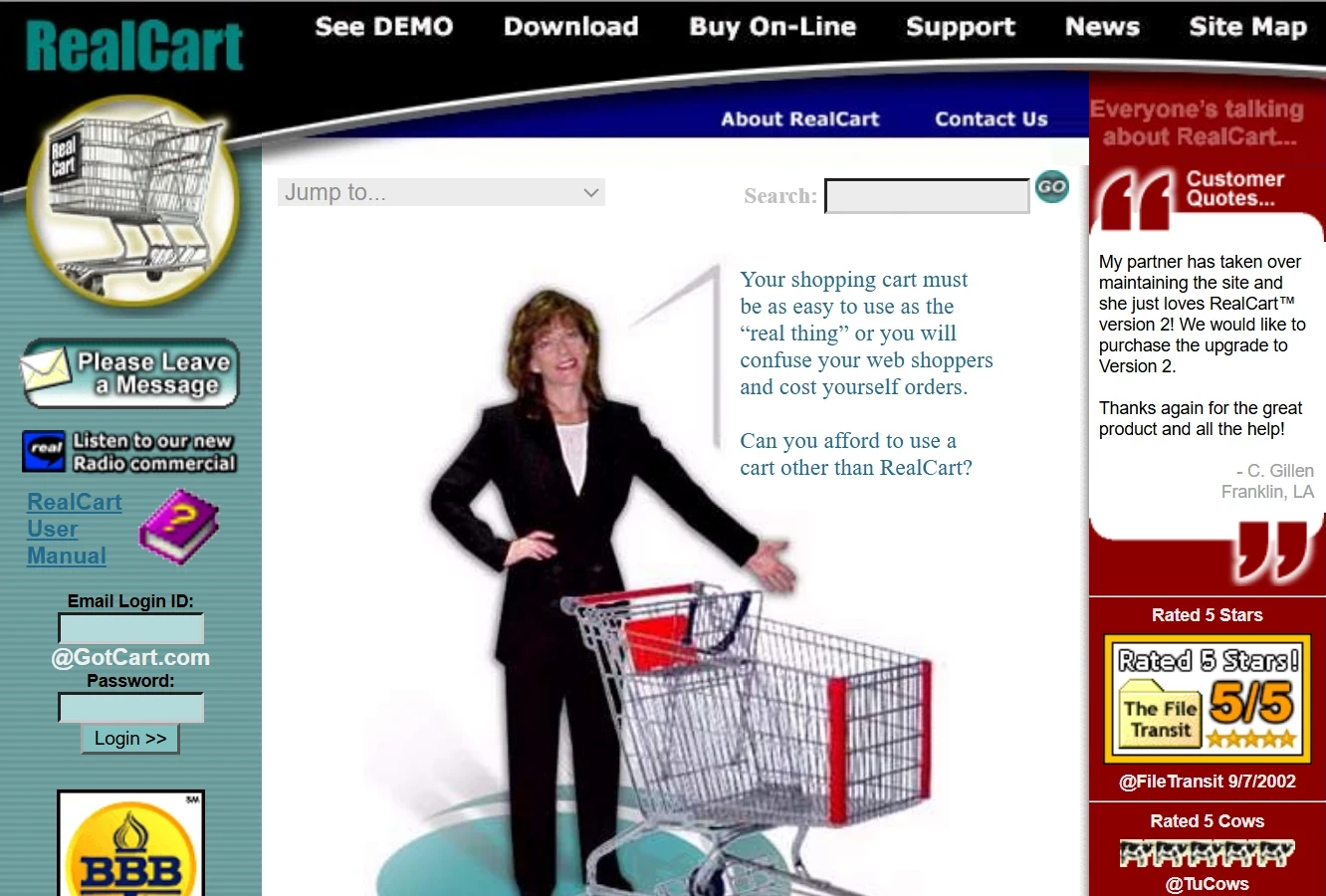
In 1995, an Oklahoma City web designer went looking for a shopping cart his clients could actually afford. There wasn't one. So I stopped looking and built it: I dreamed it up, drove it, and designed the storefront templates, and a longtime programmer friend wrote the engine.
The Real Soft Shopping Cart launched at $25, when carts cost hundreds, and was downloaded in more than 30 countries. It picked up five-star reviews and "Cool Tool of the Day" honors, and a Swedish magazine named it a Best Buy. When a much bigger competitor sent a cease-and-desist over the name, the answer was cheerful: we'd rebrand right away, because the last thing we wanted was to be confused with an inferior product. It became RealCart.
Fittingly, the shopping cart itself was invented in Oklahoma City too, by grocer Sylvan Goldman in 1937. RealCart just carried it onto the internet.
Thinking ahead, circa 2001
- A text message to your cell phone the moment your store made a sale, years before phones did much of anything.
- One-button eBay listings, live chat, and support for almost any payment processor, or none at all.
- 13 languages by 1999, and a mock "university" teaching store owners, course by course.
Your Machine Next
What should I build for you?
Every one of these started as a nagging problem somebody was tired of living with. Tell me about yours.
Commission a Build →